
Nobus Billing
Nobus adopts a Pre-Billing System of two major components, billed as low as ₦9,309.00 / Month . Recommended for:
- Users that prefer the low cost and flexibility of Nobus FCS without up-front payment.
- Users with urgent computing needs for large amounts of additional capacity.
- Applications with unpredictable workloads that cannot be interrupted.
- Applications being developed or tested on Nobus FCS for the first time.
Note: Charges start as soon as an instance status changes to "running" and stop immediately when it is "shut-down" or terminated.
Nobus Cycle Billing
Customers pay for all the resources in use at the beginning of the cycle. You pay for compute capacity by the number of days in the billing period depending on which instances you run. No upfront payments or commitments are needed. You can increase or decrease your compute capacity depending on the needs of your application.
Nobus Auto Billing
The Auto-Billing feature helps you avoid service interruptions by ensuring your wallet is automatically funded before your billing cycle.
When Auto-Billing is enabled, Nobus Cloud will charge your saved card 3 days before your next billing cycle if your wallet does not have enough balance. This ensures your services continue without disruption.
How to Enable Auto-Billing
- 1. Sign In to your Nobus Cloud account. .
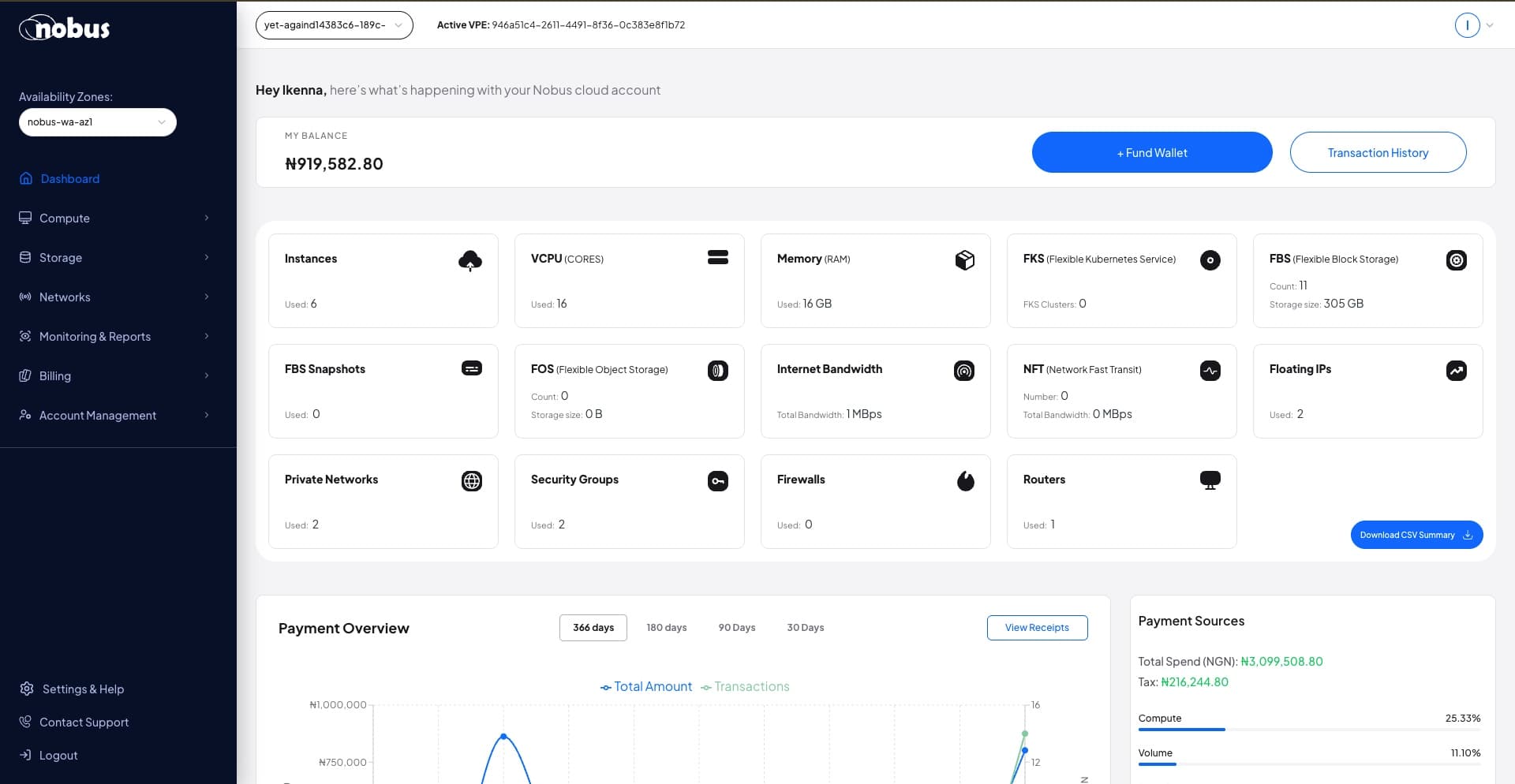
- 2. From the side navigation, click on Billing.
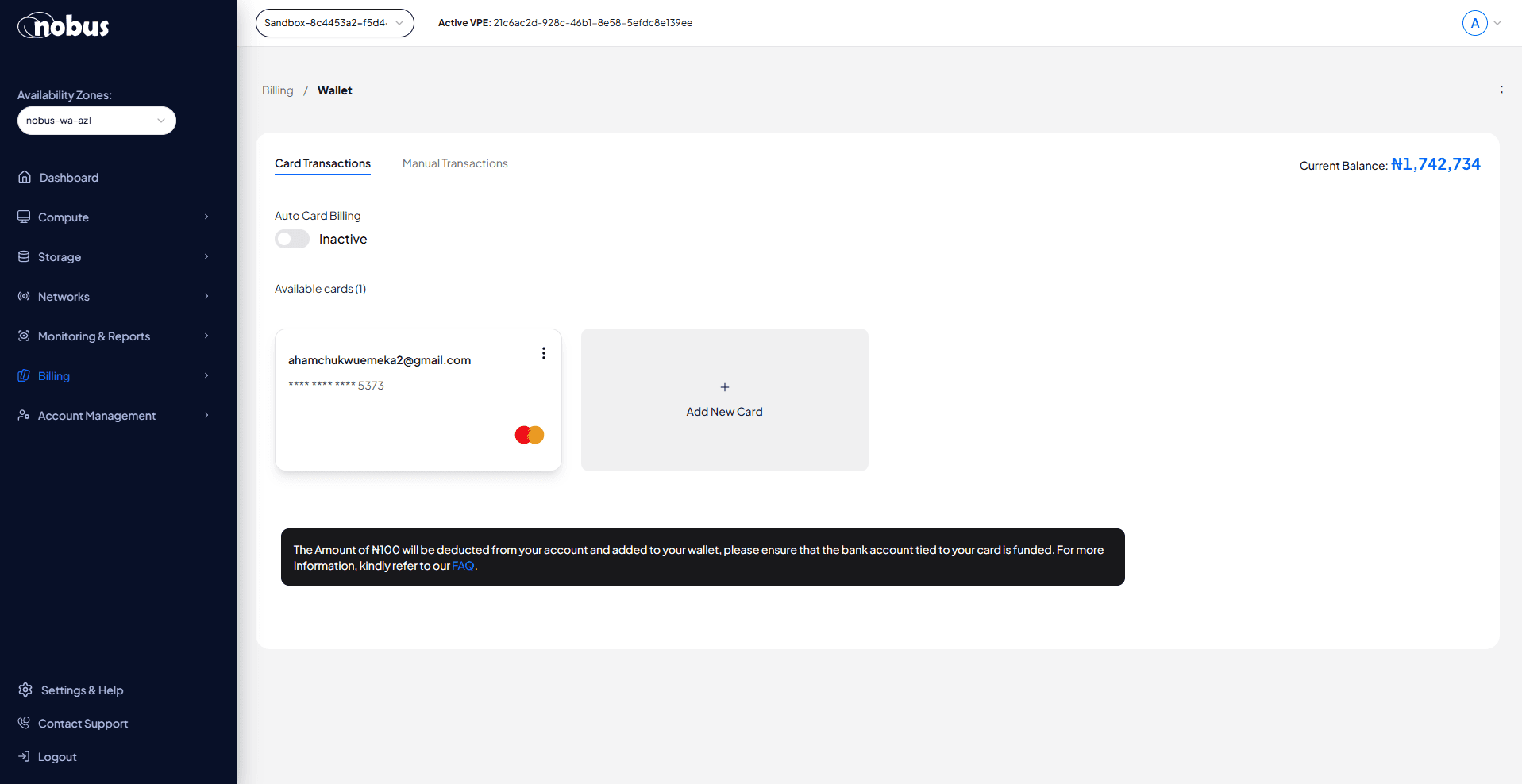
- 3. Select Wallet and click on Fund Wallet.
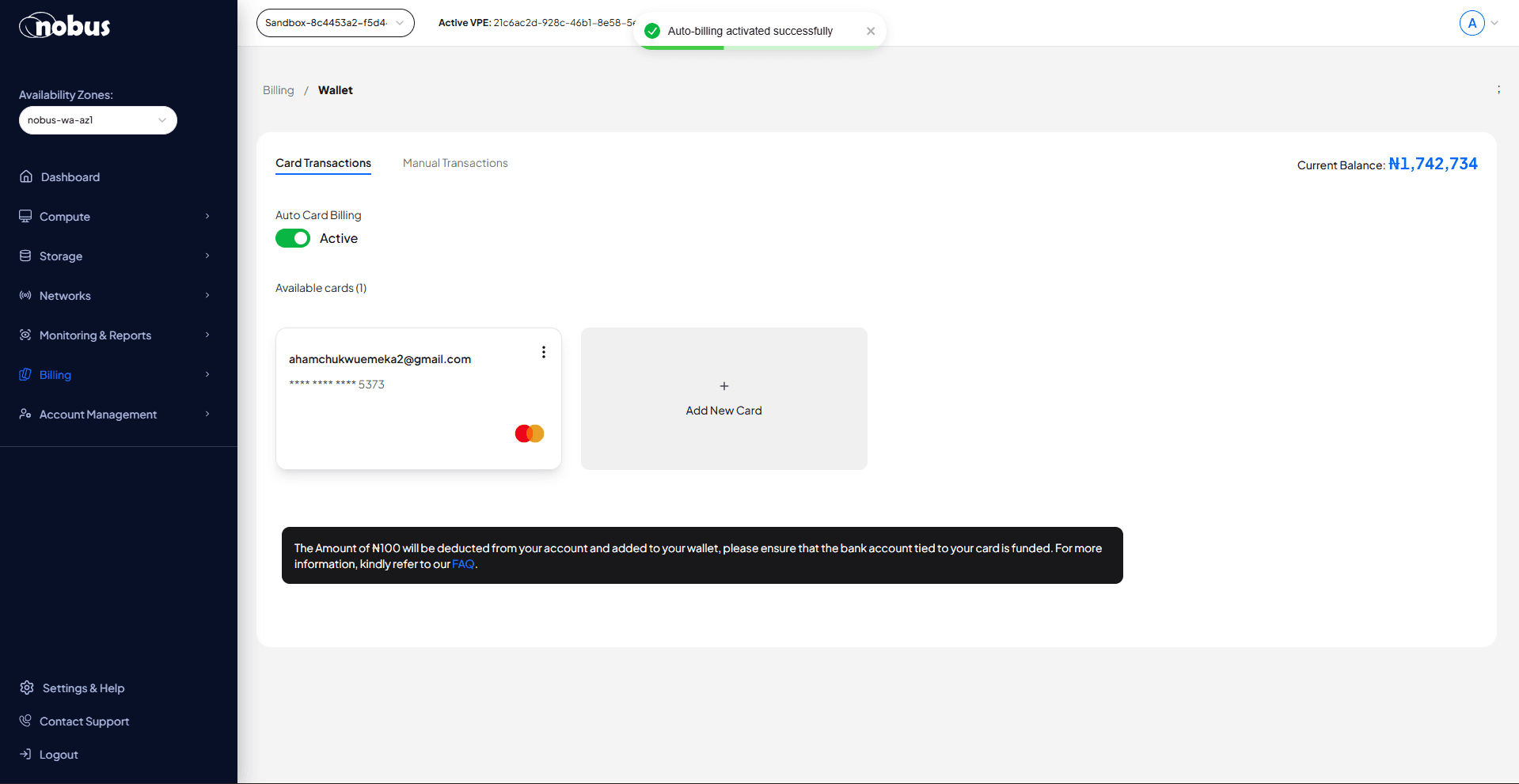
- 4. Locate the Auto-Billing Toggle
- 5. Switch it On or Off as needed:
- On - If your wallet balance is low, we will automatically fund it via your saved card 3 days before your cycle.
- Off - You’ll need to fund your wallet manually before your cycle.
Notes
- Auto-Billing is live and accessible directly from your Wallet Dashboard.
- You must have a valid card saved in your account for Auto-Billing to work.
- You’ll receive a notification when an automatic top-up is processed.
Contact our sales team for more inquires.